Groups streams tickets albums calendar
Affinity Groups

Convene for the Cities ERP/DXP’s Affinity Groups are a way for users to create online communities, share information and interact with one another by utilizing

  • Groups,
  • Members,
  • Streams,
  • Events,
  • Albums, and
  • Topics.

Affinity Groups PDF

Key Features

Convene for the Cities ERP/DXP’s Engage Affinity Groups can be explored and discovered in several ways.
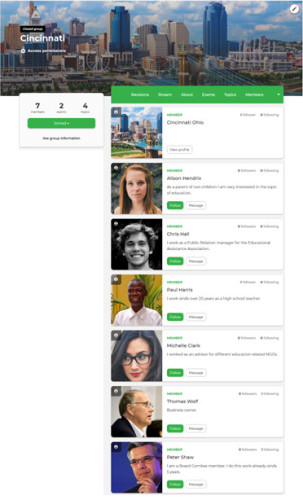
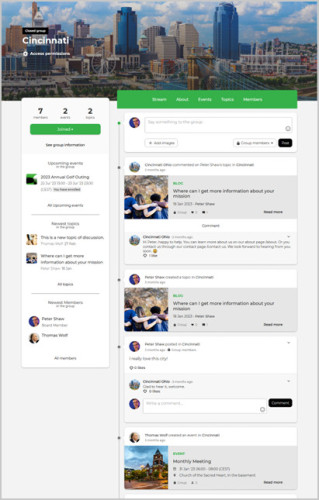
  • Groups & Members - allow users to join while controlling the way in which they can find and/or join.
  • Streams - are content feeds that shows and manages the activity within a group.
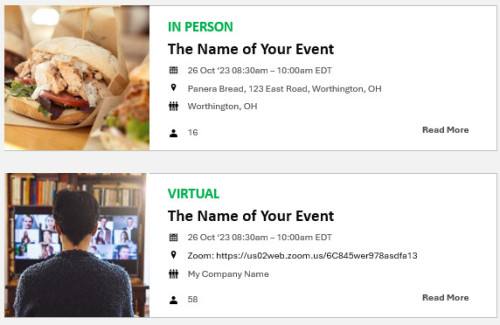
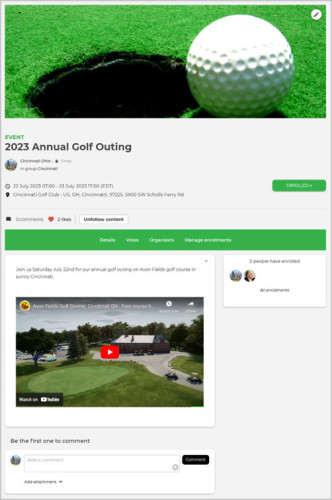
  • Events - can be created in a group that other users can join. Events come with a variety of configurations that allow you to control how people can join. Can be for free or with built-in eCommerce.
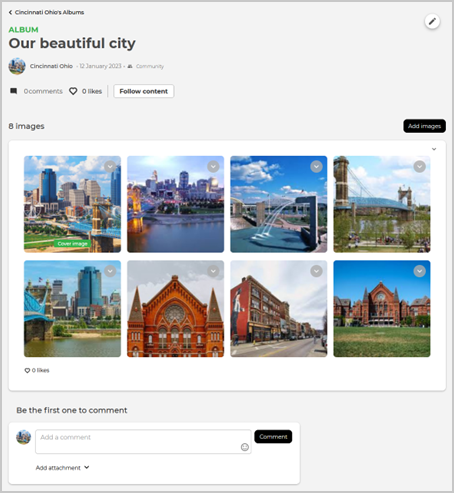
  • Albums - are created within a group, they become contextual to that group. By default, if the album is created in a group, it will use the visibility settings of the group.
  • Topics - the creation of topics in a group that members can comment on and engage in a dialog. Topics allow group members to share information or organize discussions.
albums directory events group events members streams

Benefits

  • Groups – Groups allow users to create content that is contextual to that group and organized into the group.
  • Control the way people can find & join – Types are: Secret, Public, Open, Closed, & Flexible.
  • Streams – Users can directly write and post content; Posts can be both images and written content; Users can comment on and like posts; Automatically show new events or topics that are created within the group; Notifications and alerts, so nothing falls through the cracks.
  • Events – Customizable banner image; Description page with WYSIWYG support; Date & time selector; Configurable visibility options; Enrollment options; Option for adding attachments or documents.
  • Topics - Can be a piece of news, blog, document or a discussion, or hyperlink. Each topic is tagged with a topic type to make it clear what the topic is about.
  • Albums – Create albums when adding multiple images to posts. As albums are created within a group, they become contextual to that group.

Revenue Generation

  • Access & Membership
  • Community-Based Fees
  • Premium Access for Groups
  • Sponsorship & Advertising
  • Resource Sharing
  • Event Sponsorships (Multi-Level)
  • Individual & Group Registrations
  • Event-Branded Merchandise Sales
  • Event Advertising
  • Optional: Gala, Golf & Auction; “A-Thon” Events; Text2Bid & Text2Fund

Podcasts related to this module