organization create a training learn about training
eLearning Features

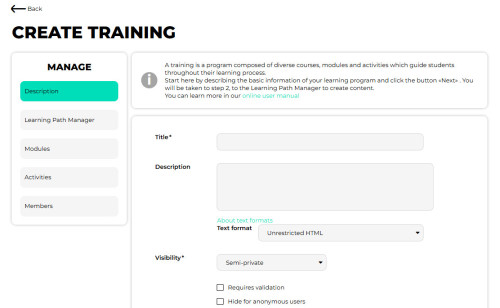
A free or fee-based course offered by Convene for the Cities ERP/DXP’s LiV8 is a structured learning program that focuses on a specific subject or topic. Each training is designed to provide comprehensive and in-depth knowledge on the subject matter, guiding learners through a series of courses, modules and activities.

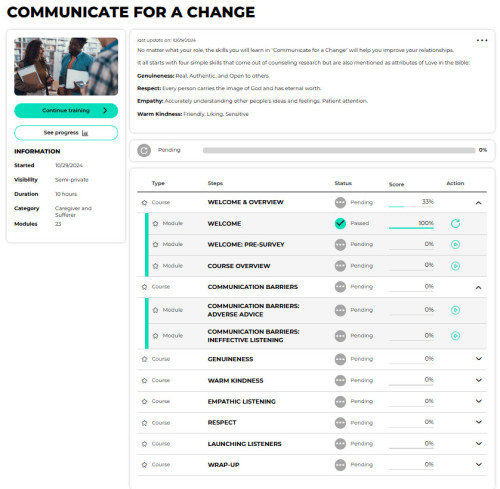
When enrolling in a Convene for the Cities ERP/DXP’s LiV8 training, learners gain access to a dedicated online learning platform where they can access training materials, such as lecture videos, readings, assessments, presentations, and interactive modules. The training curriculum is divided into courses (categories), populated by modules which contain activities, each covering a specific aspect of the subject.
LiV8 eLearning PDF

Key Features

  • Training Structure: Courses made up of Modules which are made up of Activities.
  • Training Roles: Creator, Teacher, Student, Administrator.
  • Learning Path Options:
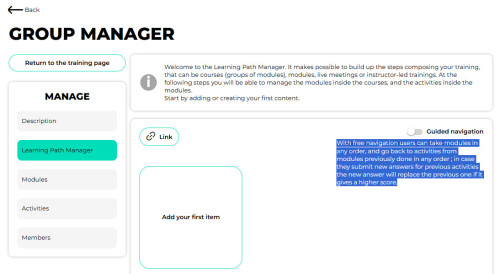
    • Require users to follow a specific path with Guided Navigation or allow users to pick and choose the order of modules.
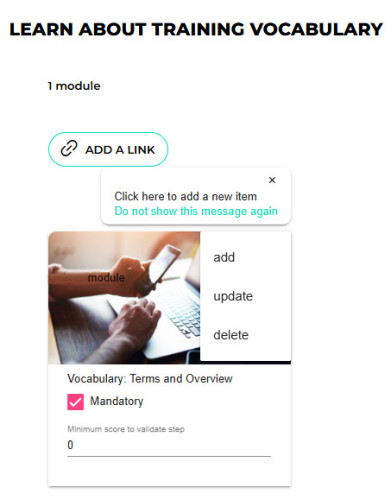
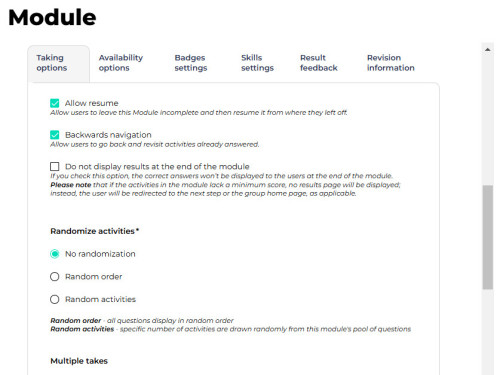
    • Modules can be mandatory or optional. They can even timed.
    • Require a minimum score before a user can proceed, if desired.
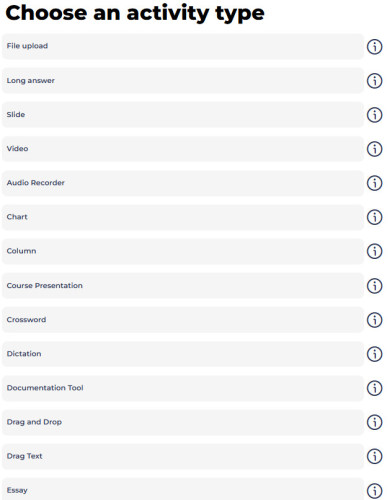
  • Activities include 30 Pre-Made Templates that can be added in with a click. 
    • Automatic or Manual Grading options
  • Granular Individual Answers and Grading Reporting.
  • Customer-Centric Revenue Generation
  • LiV8 empowers Enterprise, Affiliate and Standard Members to enjoy branded levels of eLearning content syndication.
Guided module options activities

Benefits

  • Create Page Content using a simple Rich-Text Editor
  • Add Video or Audio to your lessons - even Interactive Video.
  • Generate Bar and Pie Charts without creating the artwork manually.
  • Build and customize a Crossword Puzzle for users to enter answers.
  • Dictate a sentence and have students enter what they heard into a text field. 
  • Create Drag and Drop tasks with images or text.
  • Quiz students with Fill in the Blank, True/False, Multiple Choice, and Long Answers.
  • File uploading allows a user to fill out a long form offline and then upload it for manual grading.
  • Create instant feedback for an Essay a user fills out, by defining a set of keywords to use for auto-grading.
  • Create Image Hotspots where users press the correct area to get feedback.
  • Create an Image Sequence activity for users to place images in the correct order.
  • Create a Kewar Code (QR Code) to send users to various online locations.
  • Build a Timeline of Events which can include images as well as text.


Revenue Generation

  • Subscription Fees for Courses: Charging for access to online courses and webinars.
  • Corporate Training Packages: Selling bundled training resources to businesses.
  • Certificate Fees: Charging for course completion certificates, enhancing value.
  • Licensing Course Content: Allowing external organizations to use the customer's courses. (via their Global Resource Center)
  • On-Demand Learning: Offering courses for a one-time fee, providing another revenue source.
  • Custom Course Development: Creating tailored courses at a premium.
  • Tiered Access Plans: Offering multiple subscription levels with varying access to content.
  • Marketplace for Instructors: Providing a platform for instructors to sell their courses.
  • Gamified Learning Features: Offering premium tools to boost learner engagement.
  • Multilingual Course Options: Providing translated courses to cater to global audiences.

Podcasts related to this module